Please make sure that your photos have the required resolution for submitting your application form.
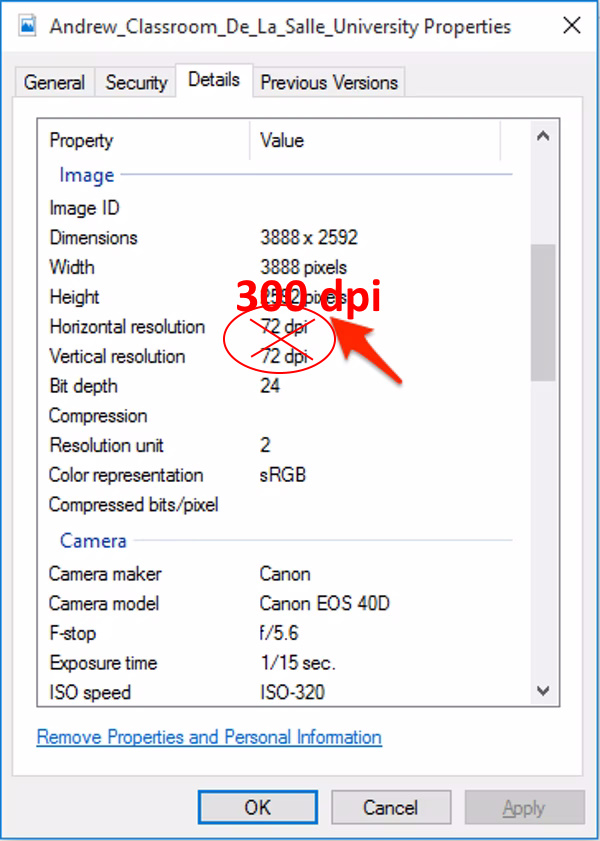
Requirement: 300 dpi, and at least a size of 1Mb.
Windows
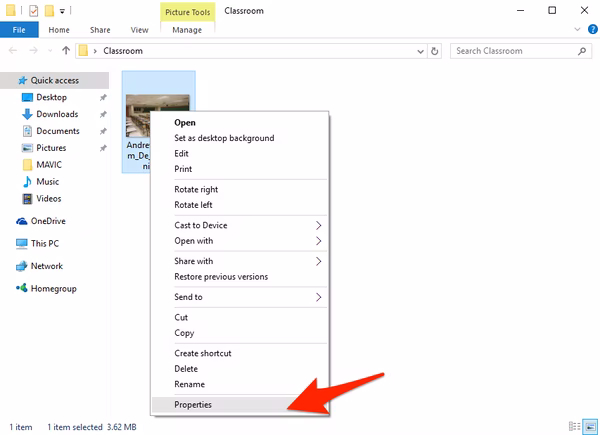
To check a photo's resolution on a Windows PC, select the file you want to use. Right-click on the image and then select "Properties."
A window will appear with the image's details. Go to the "Details" tab to see the image's dimensions and resolution.
Mac OSX
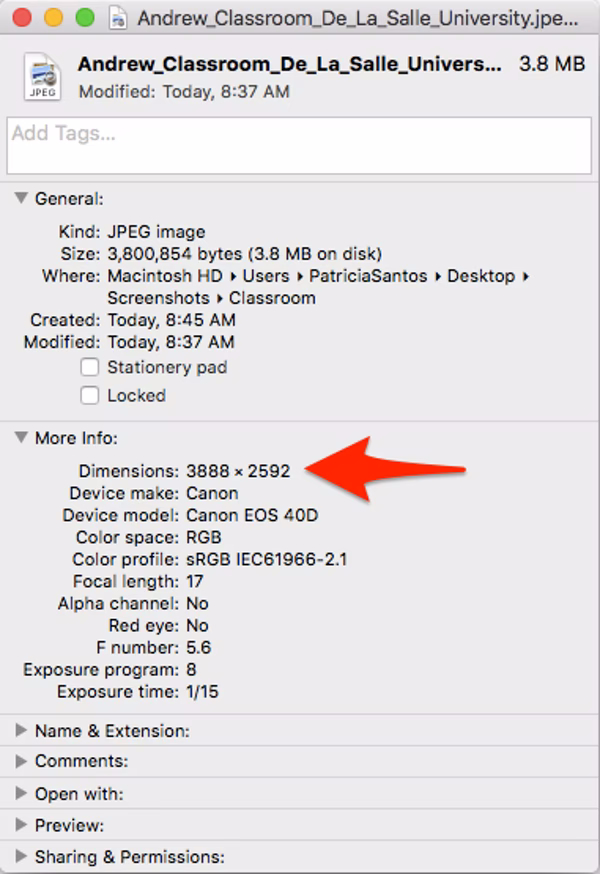
Checking a photo's resolution on a Mac is similar to a PC. Select the image you want to use and "Right-click" on it. Click on "Get Info"
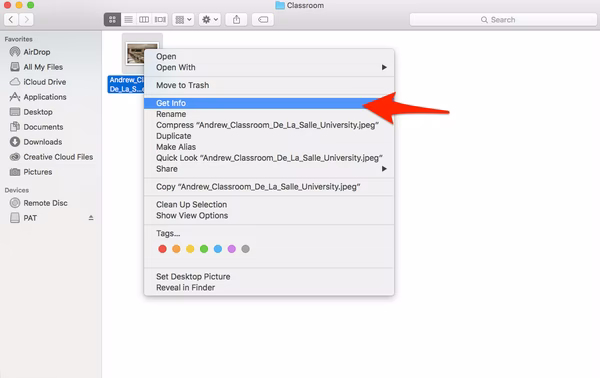
The image information window will open. You can find the image dimension and resolution under the "More Info" tab.